
Stripe Payment Gateway Integration
Stripe is a popular payment gateway that allows you to accept payments online through a secure and easy-to-use platform.
You can use Stripe as a payment gateway in Investra to accept payments from your users.
Step 1: Log in or Sign Up
- Go to Stripe and sign up or log in to your Stripe account.
- Once you're logged in, you'll be redirected to the Stripe dashboard.
Step 2: Active you Stripe account
- Go to the Stripe dashboard and look for Active Stripe account.
- Fill out the required business information:
- Business name
- Business address
- Business email
- Business type
- Tax ID (if applicable)
- Bank account information for payouts
- email and phone number verification
Step 3: Switch to Live Mode
- Toggle the "Test Mode" switch in the dashboard to enter Live Mode.
- This enables you to process real transactions.
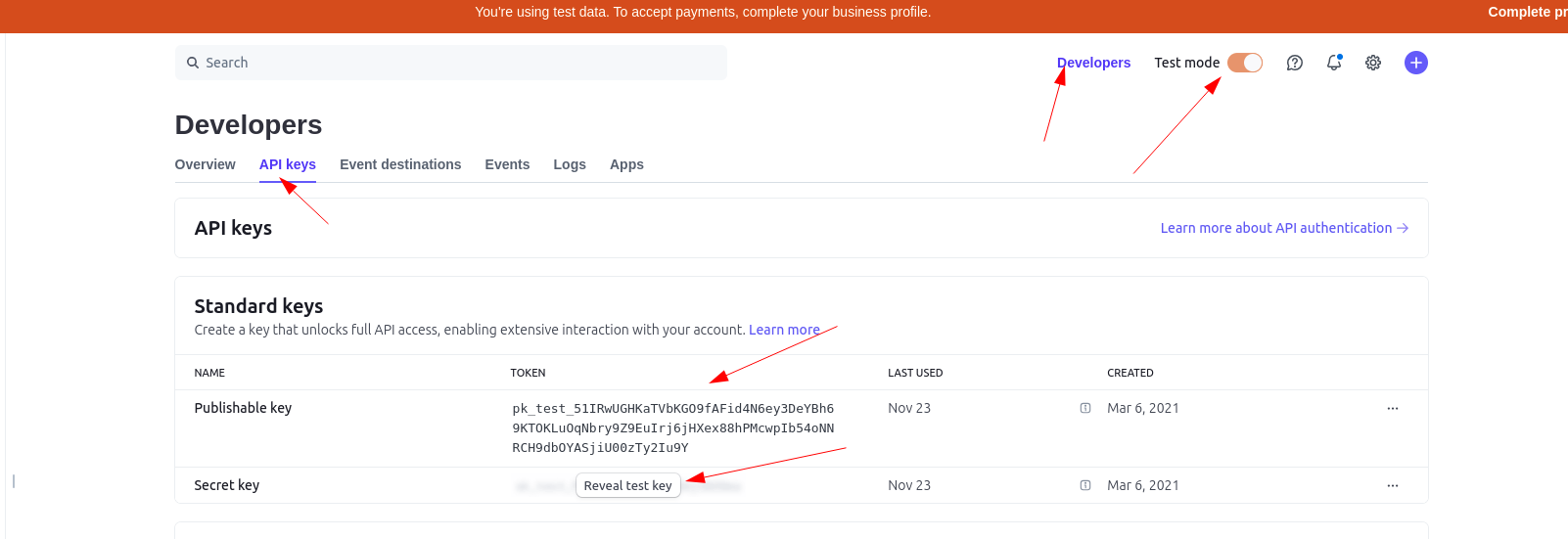
Step 4: Get your Stripe API keys
- Go to the Stripe dashboard and navigate to the "API keys" section Developers > API Keys.
- Copy the following keys:
- Public Key:
pk_live_...Used for payment interactions. - Secret Key:
sk_live_...Used for secure server-side operations.
- Store these keys securely in your environment variables or in a secure location. Don't share them with anyone.
Step 5: Set Up Webhooks
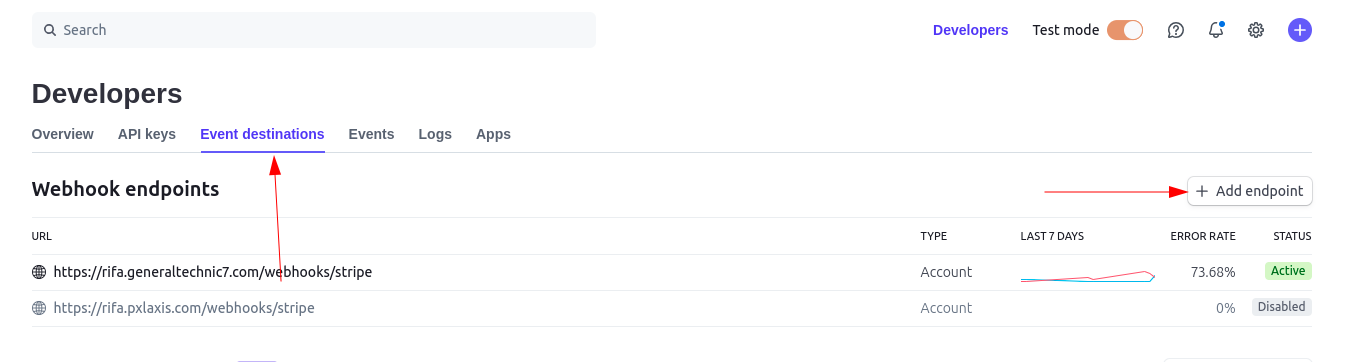
- Go to the Stripe dashboard and navigate to the Developers > Webhooks section.
- Click on the "Add endpoint" button.
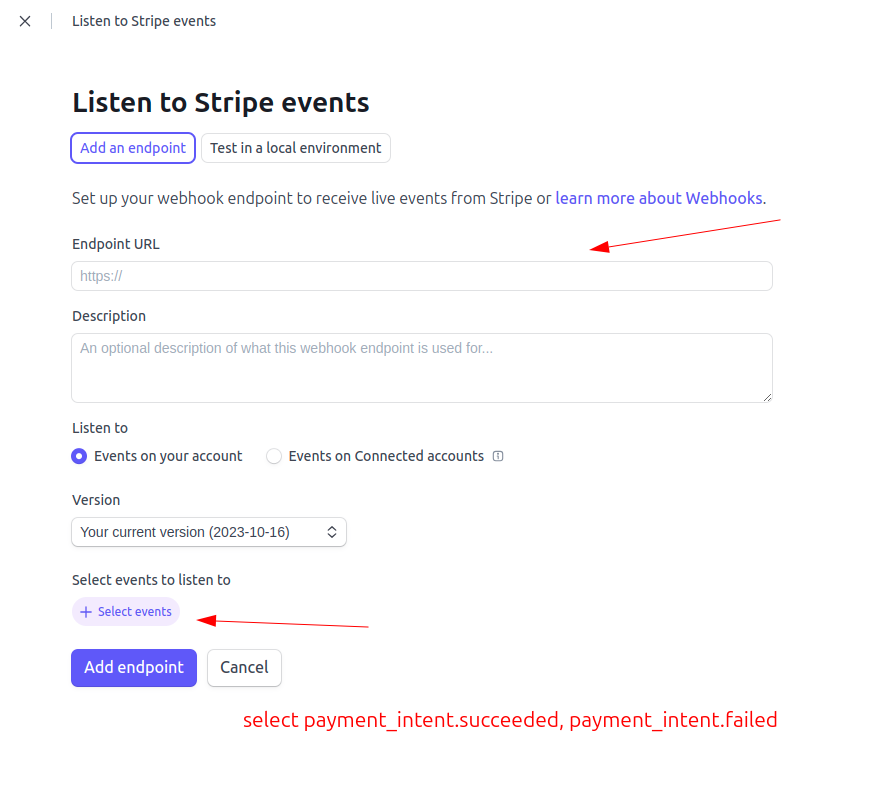
- Enter the following URL as the webhook endpoint:
- Endpoint URL: Enter your server’s webhook listener URL (
https://your-server.com/webhooks/stripe). - Description: Enter a description for the webhook. (Optional)
- Version: Ensure it matches the API version you're using.
- Events: Select the events you want to receive notifications for. (e.g.,
payment_intent.succeeded,payment_intent.payment_failed, etc).
- Click "Add endpoint" to save the webhook configuration.
- After creating the endpoint, Stripe will provide you with an endpoint secret key. Store this key securely in your environment variables or in a secure location. Don't share it with anyone.
See below screenshot for more details how you get public key and secret key.
How you can add webhook url in your stripe dashboard see below screenshots
How you add webhook url and how to enable required events see below screenshots
Step 6: Setup All credentials in our Dashboard
- Go Our admin dashboard and navigate to the "Payment Gateways" section System Settings > Payment Gateways > Stripe.
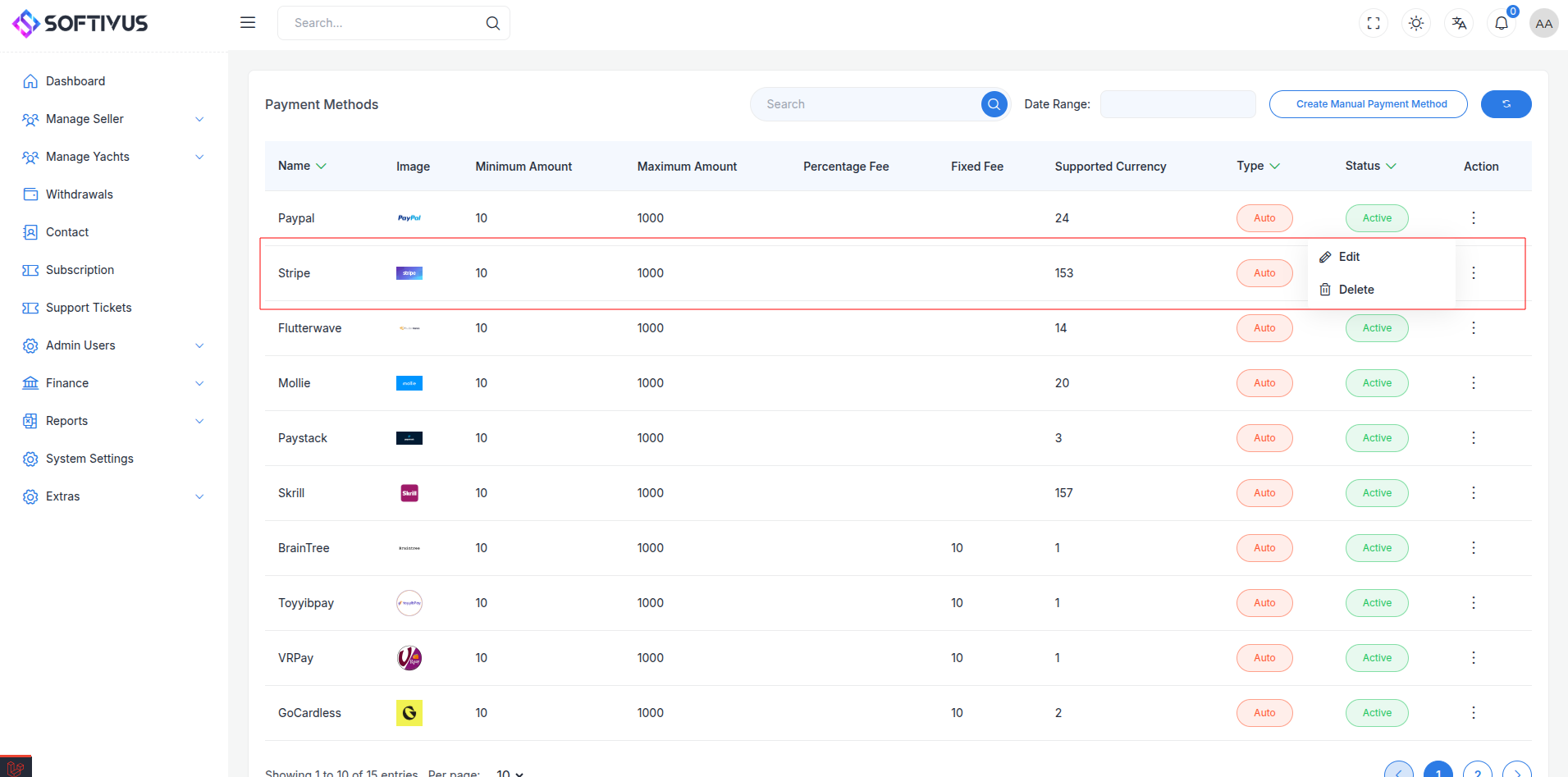
- Enter your Stripe API keys in the form provided. Follow the instructions to set up the payment gateway.
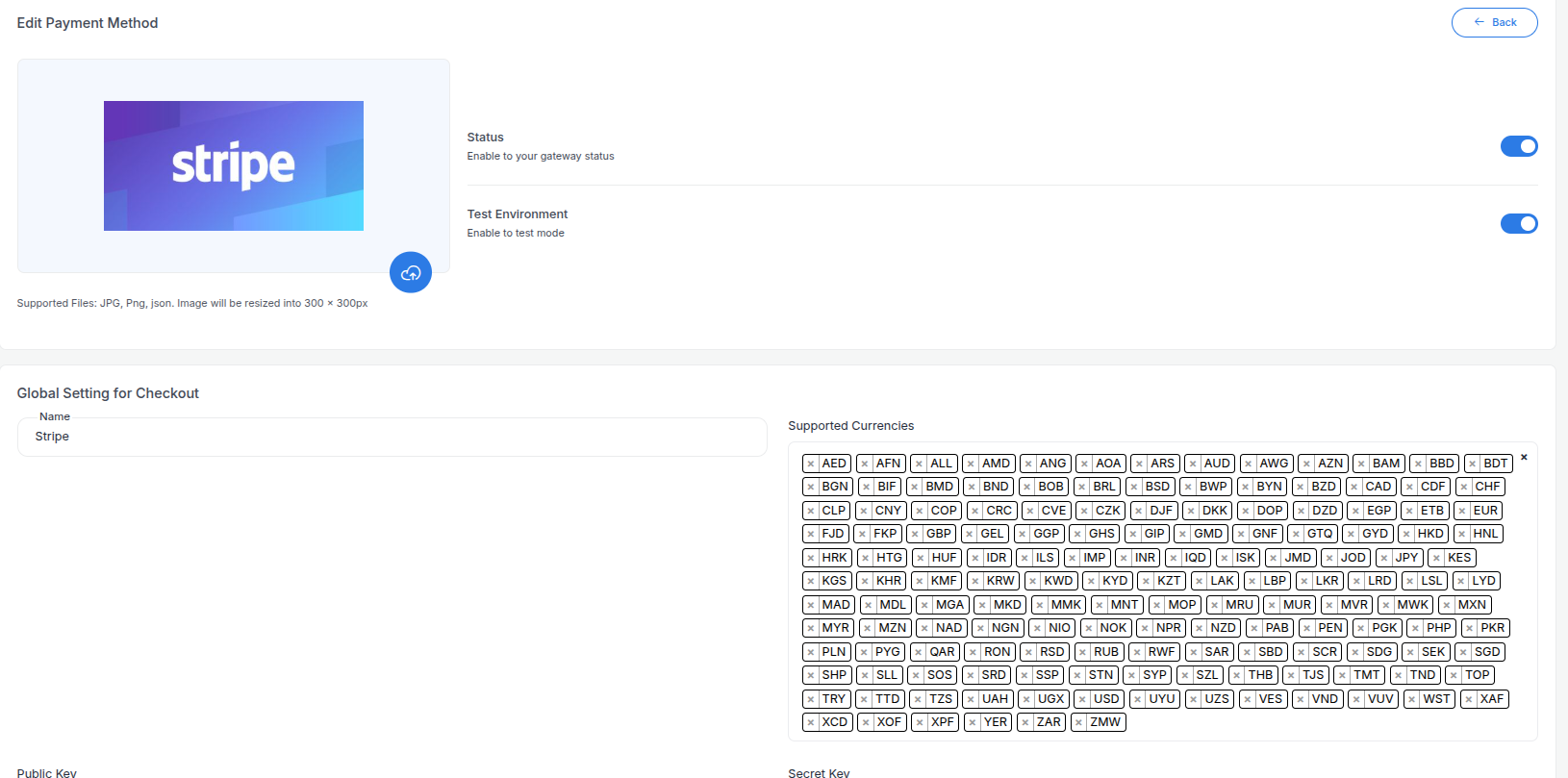
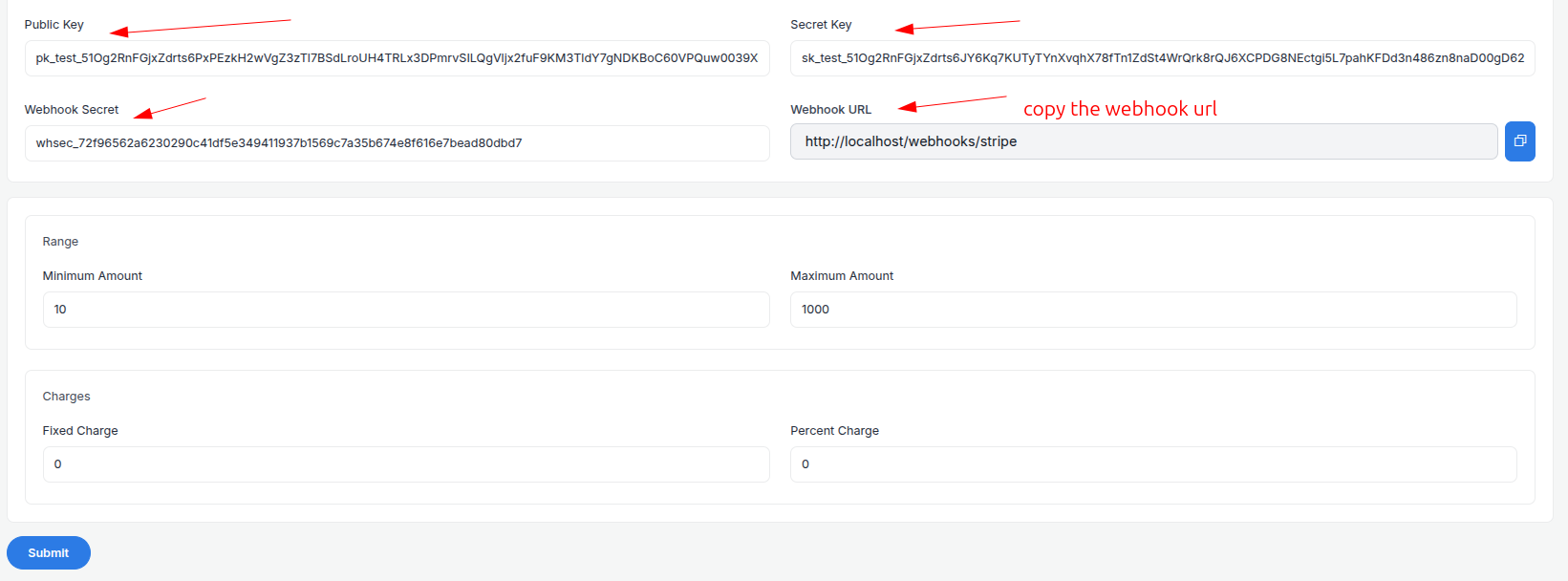
- Setting up yur required all you have to need:
- Supported Currencies: Select the currencies you want to accept payments in.
- Active: Turn on the payment gateway to accept payments.
- Live Mode: Enable live mode to process real transactions.
- Public Key: Enter your Stripe public key.
- Secret Key: Enter your Stripe secret key.
- Webhook Secret: Enter the endpoint secret key provided by Stripe.
- Webhook URL: Copy the webhook URL from here then paste it in the webhook URL field to the stripe dashboard.
- Minimum Amount: Set the minimum amount for the payment.
- Maximum Amount: Set the maximum amount for the payment.
- Fixed Charge: Set the fixed charge for the payment.
- Percentage Charge: Set the percentage charge for the payment.
then click on "Submit" button and your payment gateway is ready to accept payments.
Note:
If you have any questions or need further assistance, please don't hesitate to contact our support team. We are here to help you every step of the way.