Contact
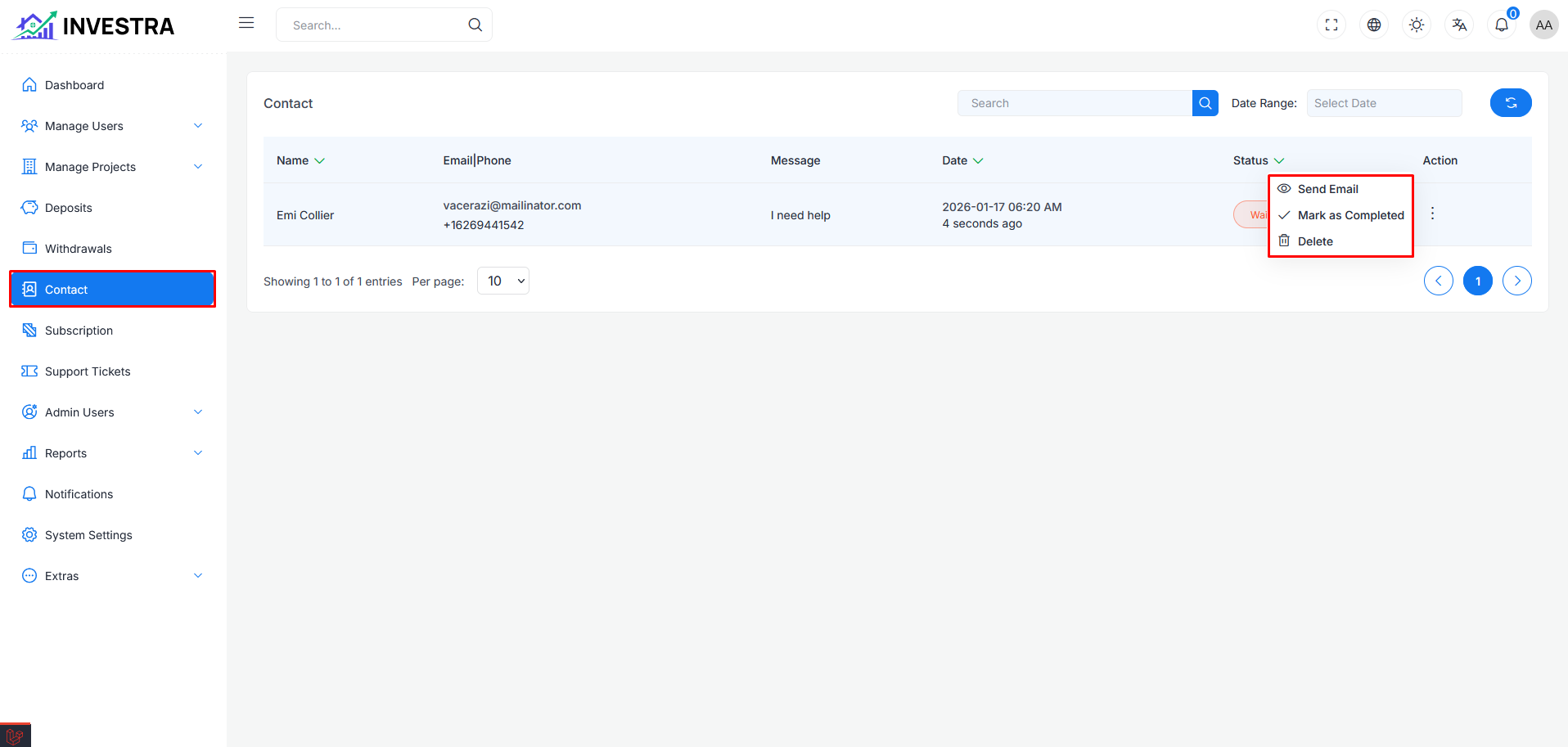
In this page you can see the contact list in table. Users who submit contact forms will appear here. In the table every row has an action menu with the following options:
- Send Email: Send an email to the contact
- Mark as Completed: Mark the contact inquiry as completed
- Delete: Delete the contact from the list
Table Columns
- Name: Contact's name
- Email|Phone: Contact's email and phone number
- Message: The message submitted by the contact
- Date: Date and time when the contact was submitted
- Status: Current status of the contact inquiry
- Action: Action menu options
Send Email
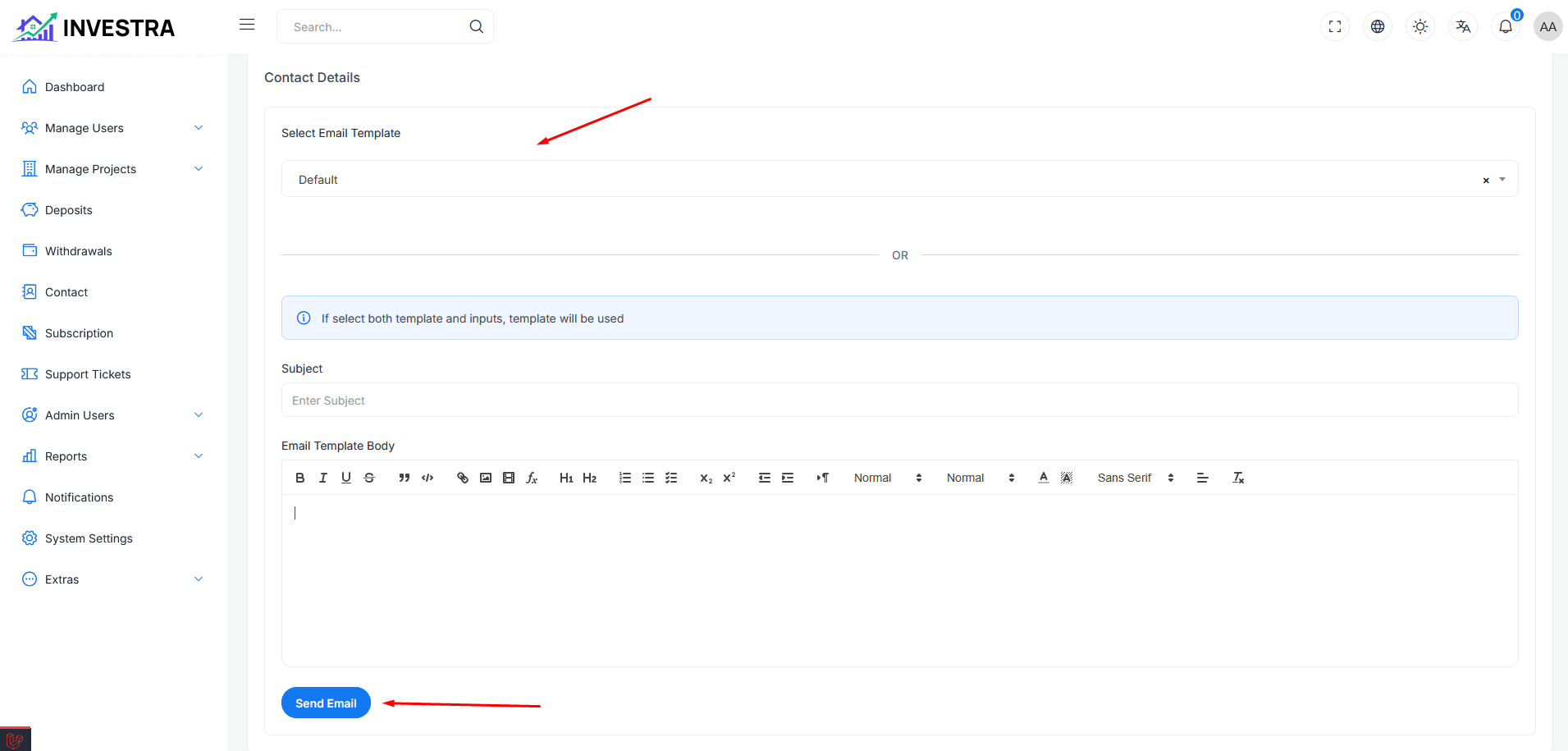
When clicking Send Email from the action menu, you'll be redirected to the Contact Details page where you can compose and send an email to the contact.
Email Form
- Select Email Template: Choose from predefined email templates (Default is selected by default)
- Subject: Enter the email subject
- Email Template Body: Rich text editor to compose your email message with formatting options
Click the Send Email button to send the email to the contact.