Manage User
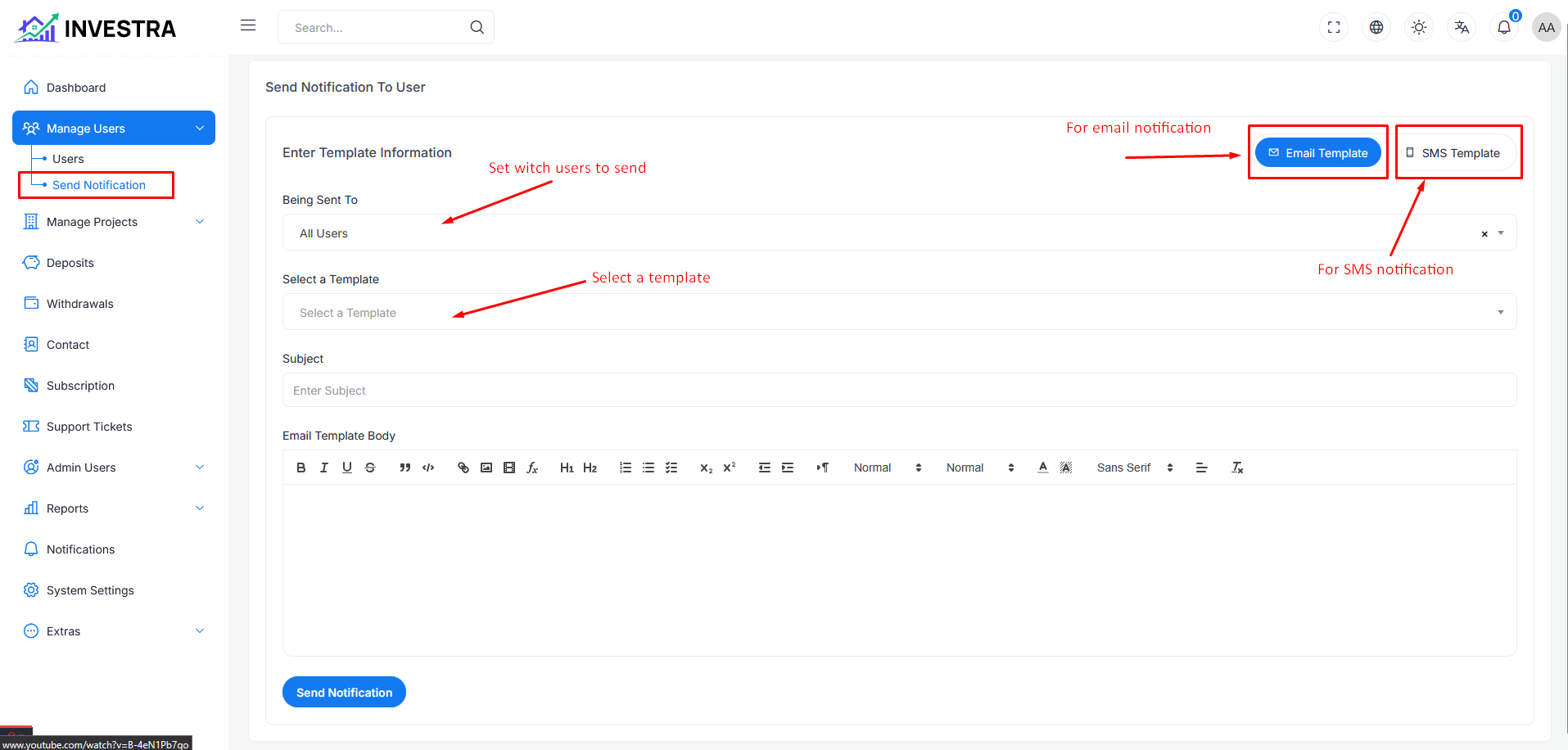
The manage user account and kyc verification page is used to manage the user account and kyc verification of the user, also you can customize user profile and add balance and subtract balance to the user account.
showing the following page in six type for variant
- All Users: Display all the users registered on the platform.
- Active Users: Display all the active users registered on the platform.
- Banned Users: Display all the banned users registered on the platform.
- Email Verified Users: Display all the email verified users registered on the platform.
- Mobile Verified Users: Display all the mobile verified users registered on the platform.
- Kyc Unverified Users: Display all the kyc Unverified users registered on the platform.
- Kyc Verified Users: Display all the kyc verified users registered on the platform.
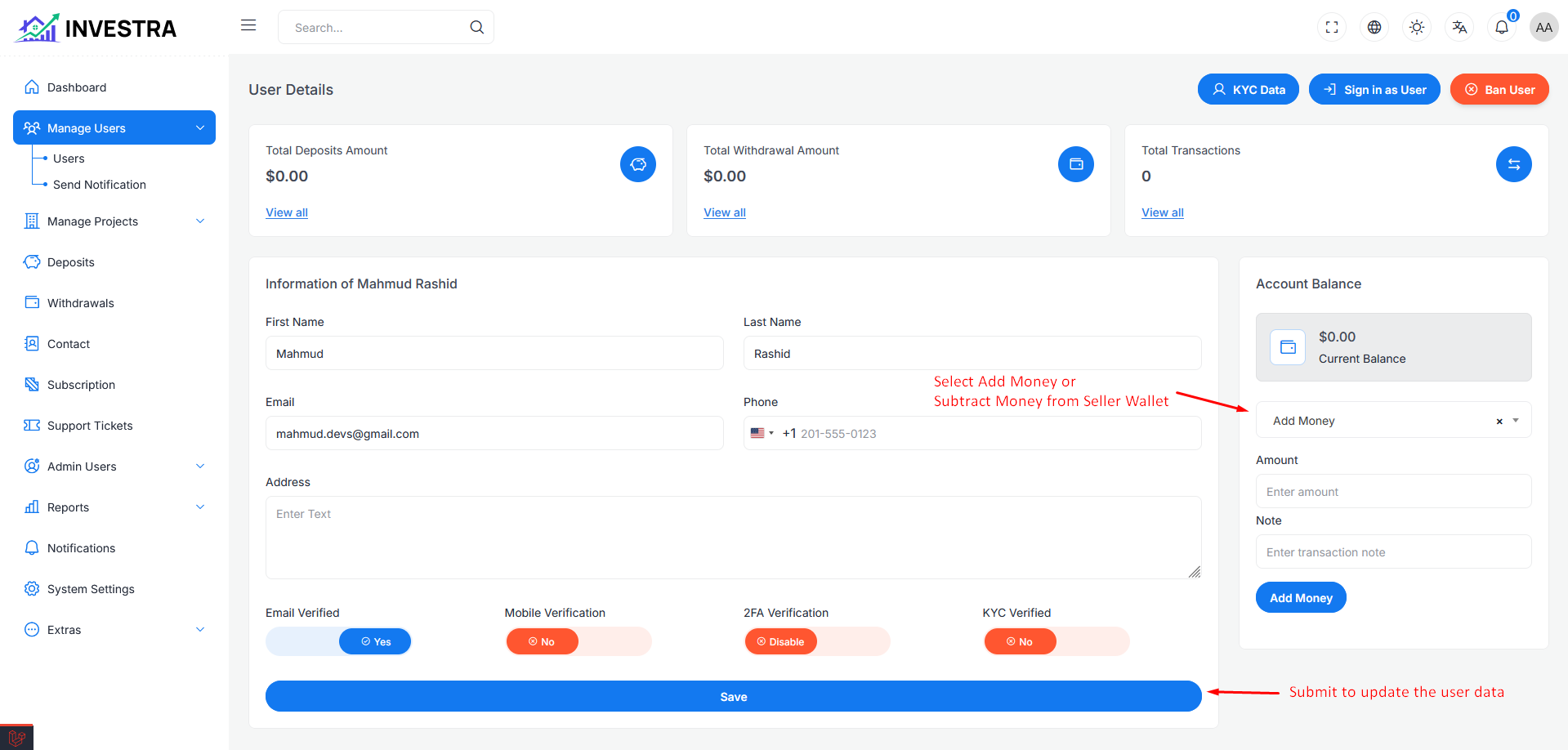
Data showing in the table format and every row has two menu
- Details: Details the user profile.
- Verify: Verify the user profile (if the user registered with kyc and it will appear only if the user registered with kyc, after accepting the kyc the user will be verified automatically and it's button will disappear).
Details View
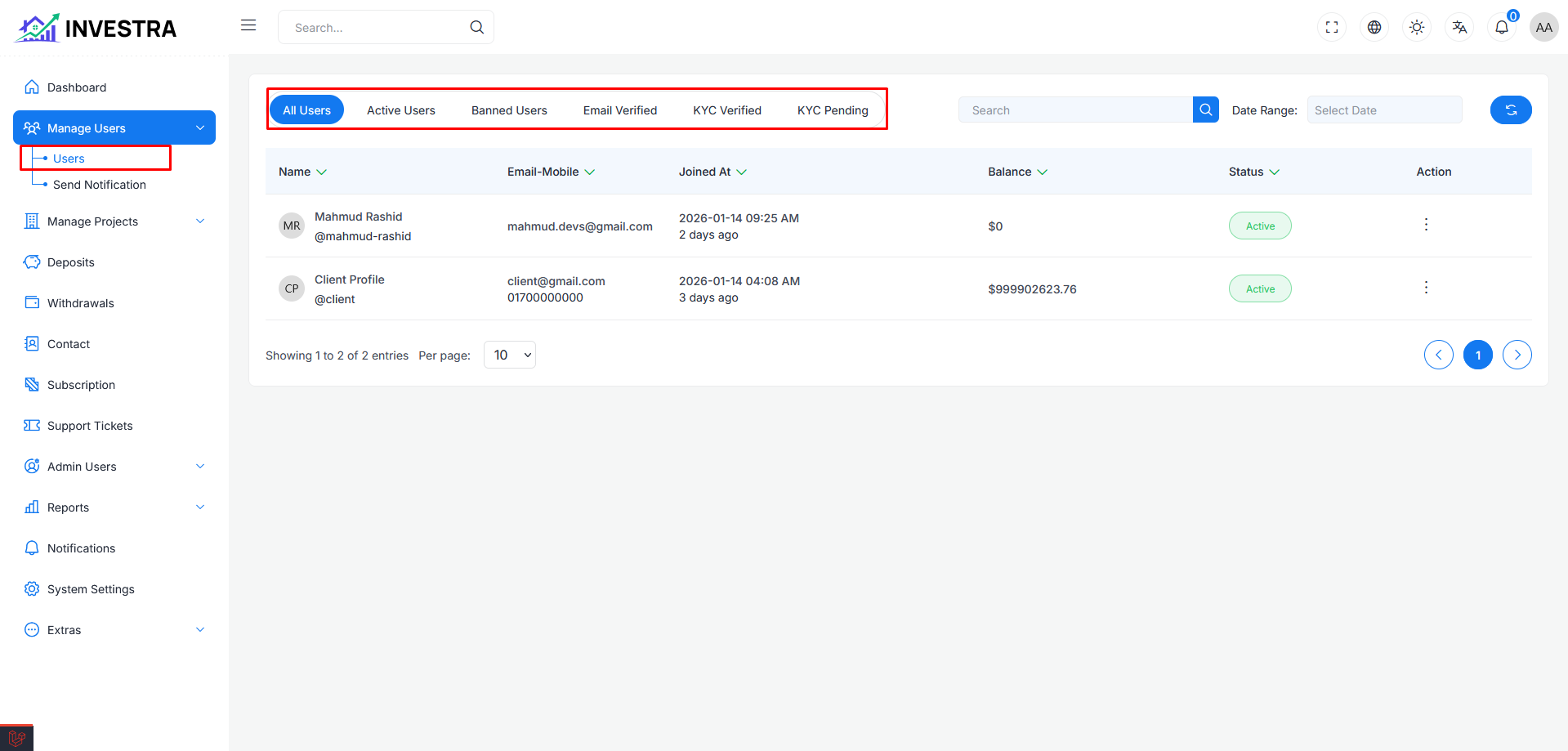
In this page you can see the details of the user profile and you can customize the user profile and add balance and subtract balance to the user account. You can sign in as user and Ban this user by clicking Ban User button and you can also unban this user by clicking Unban User button.
You will see different types of section in this page where three states are showing
- Total Balance: Displays the total balance of the user's account.
- Total Withdrawal: Displays the total withdrawal amount of the user's account.
- Total Transaction: Displays the total transaction amount of the user's account.
information about user
In this section you see user information with input field to update there information. also can email and mobile will be verify you want.
Account Balance
In this section have two type of dropdown menu for add and subtract balance.
Kyc Verification
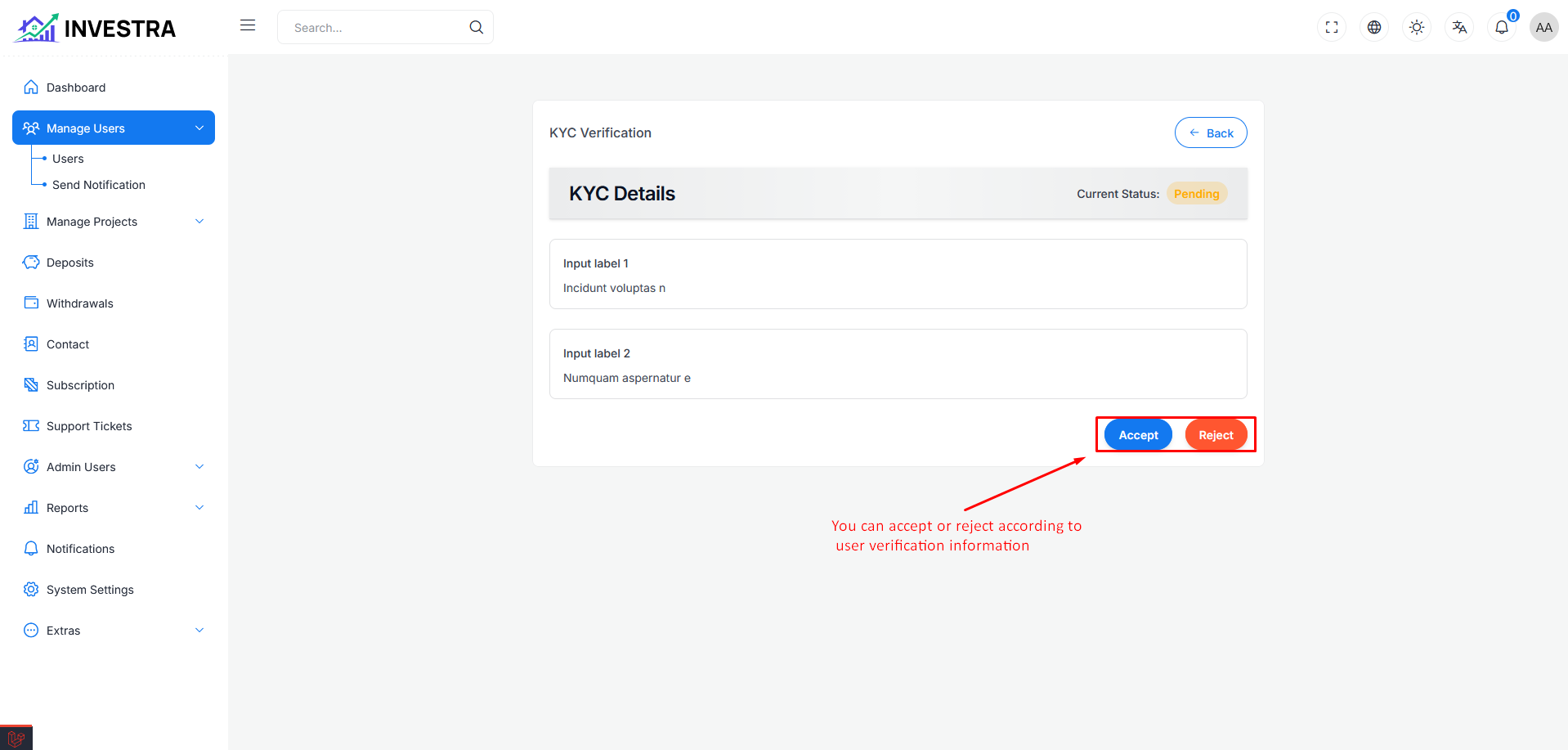
Kyc verification page you can see the user submitted data, Now you see all the information, If the information is correct according to system low then
you can accept the kyc by clicking accept button and if the information is not correct according to system high then you can reject the kyc by clicking reject button.
Send Notification
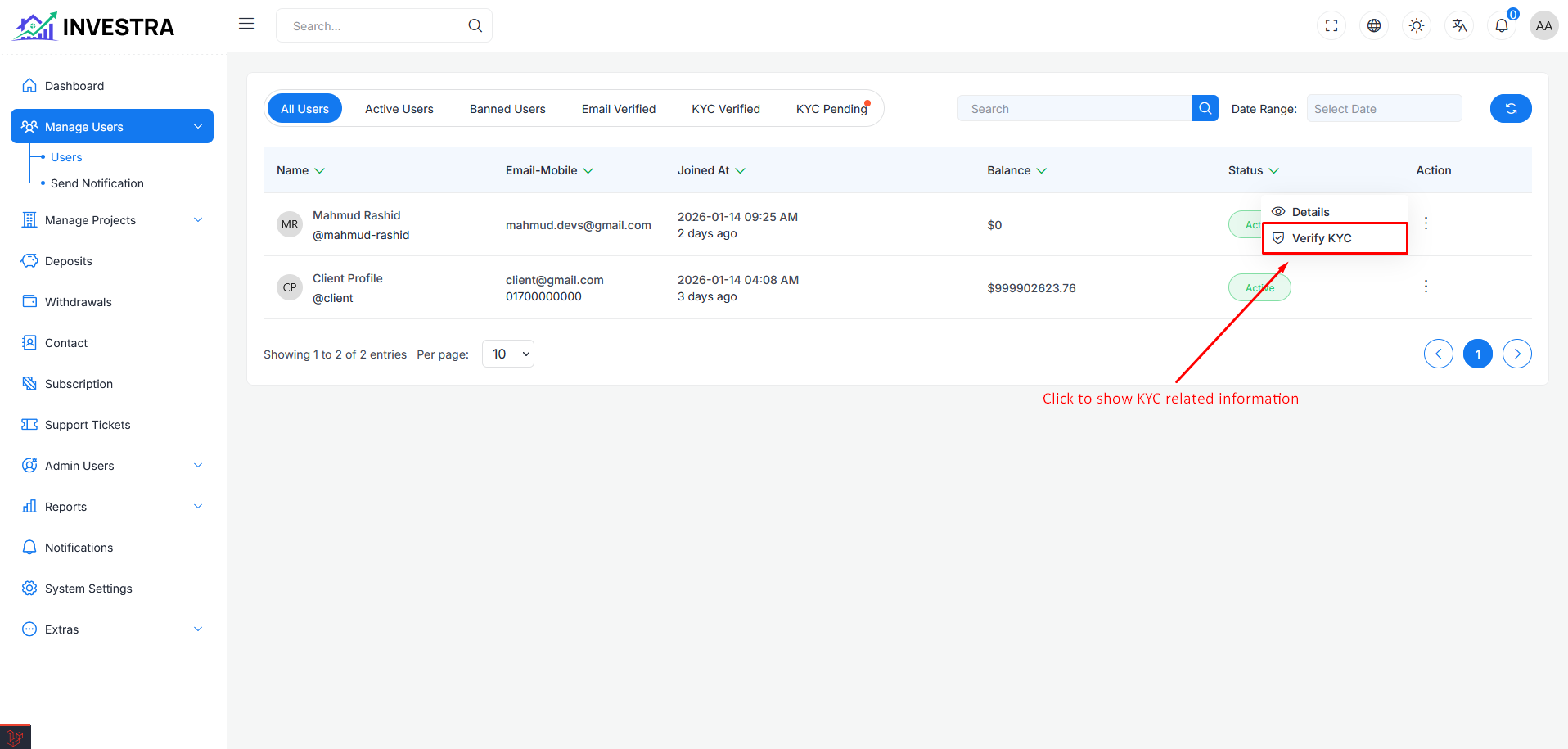
The send notification page is used to send notifications to the user, you can select prebuilt templates and customize the message and send it to the user.
you can send notification in different types of user,
- All Users: Send notification to all the users registered on the platform.
- Email Verified Users: Send notification to all the email verified users registered on the platform.
- Mobile Verified Users: Send notification to all the mobile verified users registered on the platform.
- Kyc Verified Users: Send notification to all the kyc verified users registered on the platform.